File types, sizes, and storage
A file was rejected, or you want to know how much space you have.
- For
- Anyone who prepares or uploads files for the displays.
- Prerequisite
- none — the information applies to every organization.
- Where in the portal
- Library › Filters › Formats
On this page
The library accepts JPEG, PNG, WebP, and SVG images, MP4 and WebM videos, and documents as PDF, Word, PowerPoint, or Excel. Images and videos have no limit per file, only a shared storage pool that grows with every booked display. A document can be up to 100 MB.
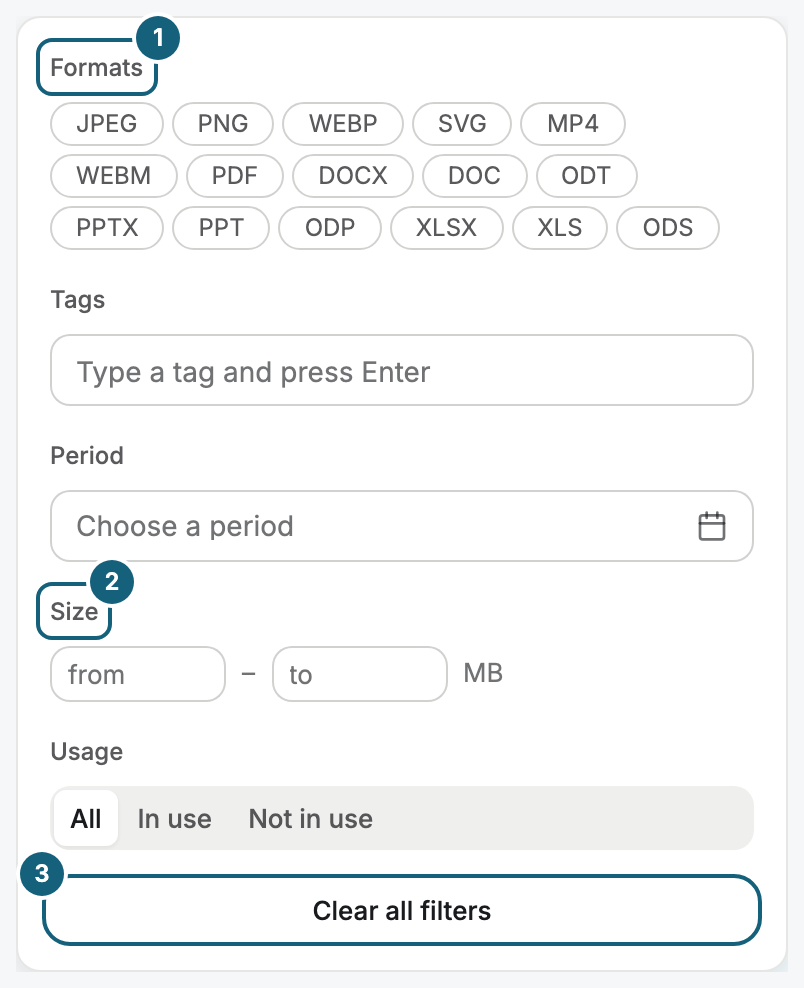
Which formats the library accepts
The list is short on purpose: every family needs its own processing for preview and variants.
| Family | Formats | Kind in the sidebar |
|---|---|---|
| Image | JPEG, PNG, WebP, SVG | Images |
| Video | MP4, WebM | Videos |
| Document | Documents | |
| Document, becomes a PDF | Word (DOCX, DOC, ODT), PowerPoint (PPTX, PPT, ODP), Excel (XLSX, XLS, ODS) | Documents |
Any other format, such as a GIF, is rejected by the check before the actual transfer starts, and the message names the file type that is not allowed.
How much space you have
| Question | Answer |
|---|---|
| Is there an upper limit per file? | For images and videos, no. Only the organization's total storage is limited. A document can be up to 100 MB: PDF, Word, PowerPoint, or Excel. |
| How does the storage grow? | Every booked display brings a fixed share. All shares go into one common pool. Book more displays and you have more space. |
| Is space allocated per display? | No, only the total counts. |
| How strict is the limit? | It is meant as fair use and only applies when someone stores entire film archives. In everyday work with images, videos, and scenes, you never notice it. |
| What happens when it is reached? | The portal rejects the next upload. Tidy up, or book an additional display. |
| What happens to a document over 100 MB? | The portal rejects it in your browser: “The file is too large. Documents can be at most 100 MB.” |
What happens to videos
| Stage | What applies |
|---|---|
| Preview in the portal | Every file gets a preview image. If the original was recorded in a format the browser cannot play (such as HEVC), the portal also creates a playback version for the preview. |
| Playback on the device | Player Lite plays video up to Full HD. Player Pro plays video up to 4K at 60 frames per second. |
| Storage on the device | Up to 10 GiB of media files kept ready, not only videos. The oldest are removed first. That is how the display software keeps running without a network. |
What happens to documents
| Stage | What applies |
|---|---|
| Conversion | Word, PowerPoint, Excel, and OpenDocument files become a PDF when you upload them. Your original stays. After that, the document runs like a PDF. Each sheet of an Excel workbook stands whole on a page of its own, a hidden one too. In the playlist, you deselect what should not run. |
| Preparation | Each page of the PDF becomes a page image. The first page becomes the preview image in the library. |
| Page limit | At most 50 pages are prepared. For a longer document, the details say “First 50 of 150 pages” and “Displays play the first 50 pages.” |
| Progress and errors | While the pages are prepared, the library shows the progress, such as Page 3 of 12 prepared. If preparing fails, the details name the cause and the next step, see When processing fails. |
| Playback on the device | The displays show the page images, never the PDF file. Every device shows the same pages the same way, even without a network, from its local storage. |
| In a scene | The Document widget shows one page, several pages in turn, or two side by side, see Place a document (PDF) in a scene. |
| In a playlist | A PDF plays as a sequence of its pages, with the pages you choose and a duration per page, 8 seconds unless you set another, see Create a playlist. |
Related
Was this helpful?