Pairing doesn't work
The TV shows no code, or the portal doesn't accept it.
- For
- anyone setting up a display
- Prerequisite
- the Owner or Manager role, and a free seat
- Where in the portal
- Displays › Pair display
On this page
Pairing fails in one of two places: the TV shows no code, or the portal doesn't accept it. Find your case below. The code has six characters and changes every minute, so always type the one the TV shows right now.
The TV shows no code
| What you see | Cause | What to do |
|---|---|---|
| Nothing, the TV stays black | No power, a loose cable, or the wrong input | Check the power supply, the HDMI cable, and the input, see The display is black or shows no picture. |
| A setup card with a QR code | The player has no network and opened its own setup Wi-Fi. | Scan the card and enter your Wi-Fi, or plug in a network cable, see Connect to the network: cable, Wi-Fi, company network, time. |
| Empty tiles instead of characters | The player has no internet yet. | Check the network. The code appears as soon as the connection works. |
| Loading the program or your content | The device is already paired. | Look for it under Devices. |
| No display is set up for this screen yet | The second TV of a player that already belongs to you | No code is needed. Click Create second display on the device page. |
The portal doesn't accept the code
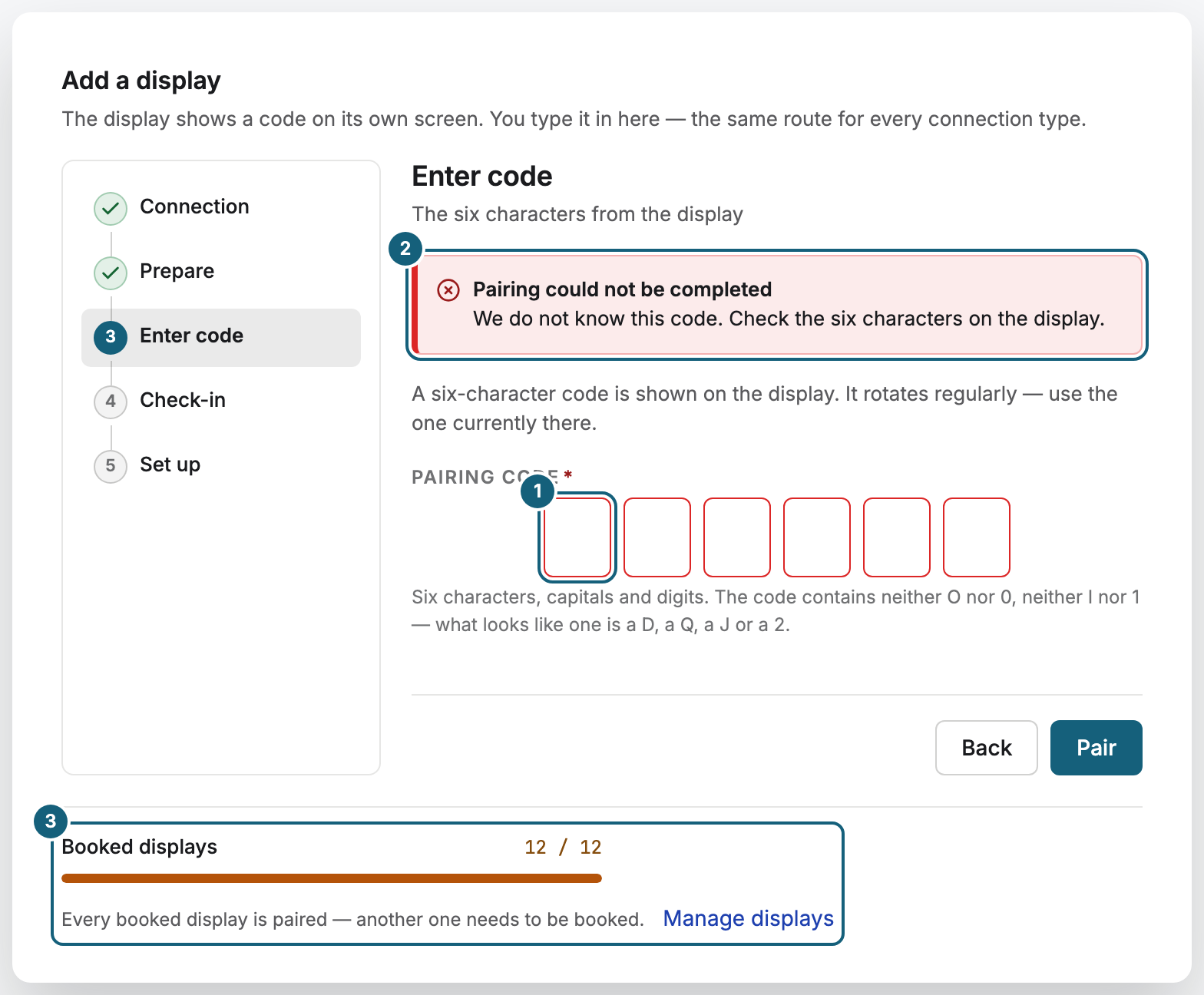
| Message | Cause | What to do |
|---|---|---|
| “We do not know this code. Check the six characters on the display.” | A typo. The code has no O, 0, I, or 1. | Read it again. 2 and Z, 5 and S, 8 and B are easy to mix up. |
| “The code has expired — please enter the one currently displayed.” | The code changed more than five minutes ago. | Enter the code the TV shows right now. |
| “No device was found for this code.” | The device has stopped showing this code. | Check that the device is on and shows a code. |
| “This device has already been paired.” | The device belongs to an organization. | If it is yours, it is under Devices. To move it, use Re-pair … there, see Re-pair, reset, remove, or report a device as lost. |
| “Every booked display is paired.” or “Your contract does not cover more displays.” | All seats are taken. | Click Book another display, or remove a display you no longer need. |
| “Web displays are not enabled for your contract.” | Your contract doesn't include web displays. | Pair a player instead, or book web displays. |
Related
Was this helpful?