A display shows Offline or Delayed
The portal reports a display as offline, or it shows a fault message.
- For
- anyone who sees a display as Offline or Delayed in the portal
- Prerequisite
- access to the portal, and someone who can check the device on site
- Where in the portal
- Displays › display › Overview
On this page
Offline means the device hasn't reported to us for more than five minutes, Delayed means for more than a minute. Usually the network or the power at the site is the cause. The display often keeps playing what it has stored, so a picture on the TV doesn't rule it out.
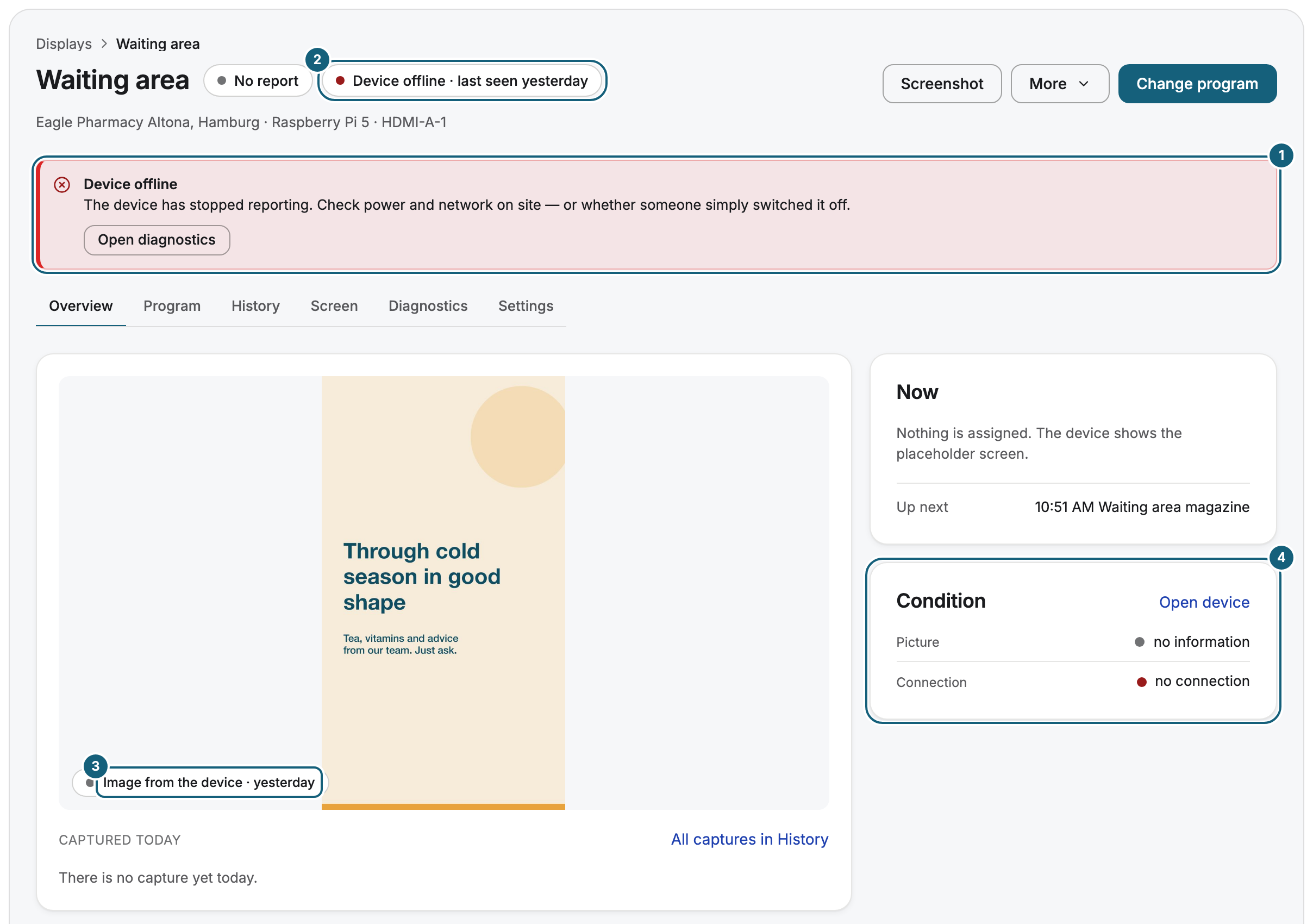
What the status means
| Status | Meaning |
|---|---|
| Online | The device reports in regularly. |
| Delayed | No report for one to five minutes, often a short network dropout. |
| Offline | No report for more than five minutes. |
| Not connected | A web display that no browser has opened yet. |
| Frozen | More displays are paired than booked. |
| Suspended | Your organization is suspended, and the display doesn't play. |
The device has no power or no network
This is the most common cause. Check on site whether the player is plugged in, whether someone switched it off, and whether the router works. If the device uses Wi-Fi and the portal shows Weak Wi-Fi signal, move the router closer, add a repeater, or use a network cable. Once the network is back, the device reports in again by itself.
The network blocks Szenera
In company networks and guest Wi-Fi, a firewall, a login page, or TLS inspection often stops the device. The player needs outgoing connections on port 443 to our addresses. Give your IT the list in Network requirements for your IT.
The display shows a fault message
Service not reachable, No content available, or Permanently offline with a countdown mean the display can't reach us. It keeps trying by itself. Check the internet access at the site as above.
The display was disconnected on purpose
Connection closed with a reason is not a network fault, so a restart doesn't help.
| Reason on the display | What to do |
|---|---|
| “This display's session has expired.” | Pair the display again. |
| “This organization's access is suspended.” | Settle the open invoice, see Payment reminders, overdue notices, freezing, suspension. |
| “Too many requests — the display is pausing.” | Nothing. It continues by itself. |
| The device was reported lost, or an operator disconnected it | Contact support. |
The device's clock is wrong
If the portal shows Clock out of sync, the device can't set its time. Displays then switch programs at the wrong moment. Allow the time servers listed in Network requirements for your IT.
The display is Frozen or Suspended
Frozen displays wait for a free seat. Remove a display you no longer need, or book another one. Suspended means an invoice is overdue, and the displays play again once it is paid.
Related
Was this helpful?