What happens when the network goes down?
Why displays keep playing without internet, what each status means, and what apps show offline.
- For
- anyone who sees a display marked Offline or wants to know what an internet outage means on site
- Prerequisite
- a paired display in your organization
- Where in the portal
- Displays, Status column
On this page
Your displays keep playing. Everything a display shows is stored on the device, so a lost internet connection does not turn it black. The portal may mark the display as Offline, but that only means it has not reported in for a few minutes.
Your content keeps playing
Each display keeps a copy of its content on the device: images, videos, scenes, and the apps in them. When the connection drops, it simply carries on with this copy, and the people in front of it notice nothing. There is no time limit.
One exception: a display that has never received any content cannot show anything without a network. Until it connects for the first time, it shows an error screen with the reason.
What apps show without a network
Apps that need live data show the last data they received:
| App | Without a network |
|---|---|
| Clock, Countdown, Opening hours, Notice board, QR Code | Keep working as usual. They need no connection. |
| News apps such as Tagesschau or BBC News, RSS feed | Show the last headlines they loaded, without pictures. |
| Menu board | Shows the last version of the menu. Pictures of dishes appear only if the display had already loaded them. |
| Web page, Embed | Keep the last loaded page, slightly blurred, with a note such as “Last updated 02:05 PM · reconnecting”. |
| YouTube | Stops, and the last frame stays visible. |
What the status in the portal means
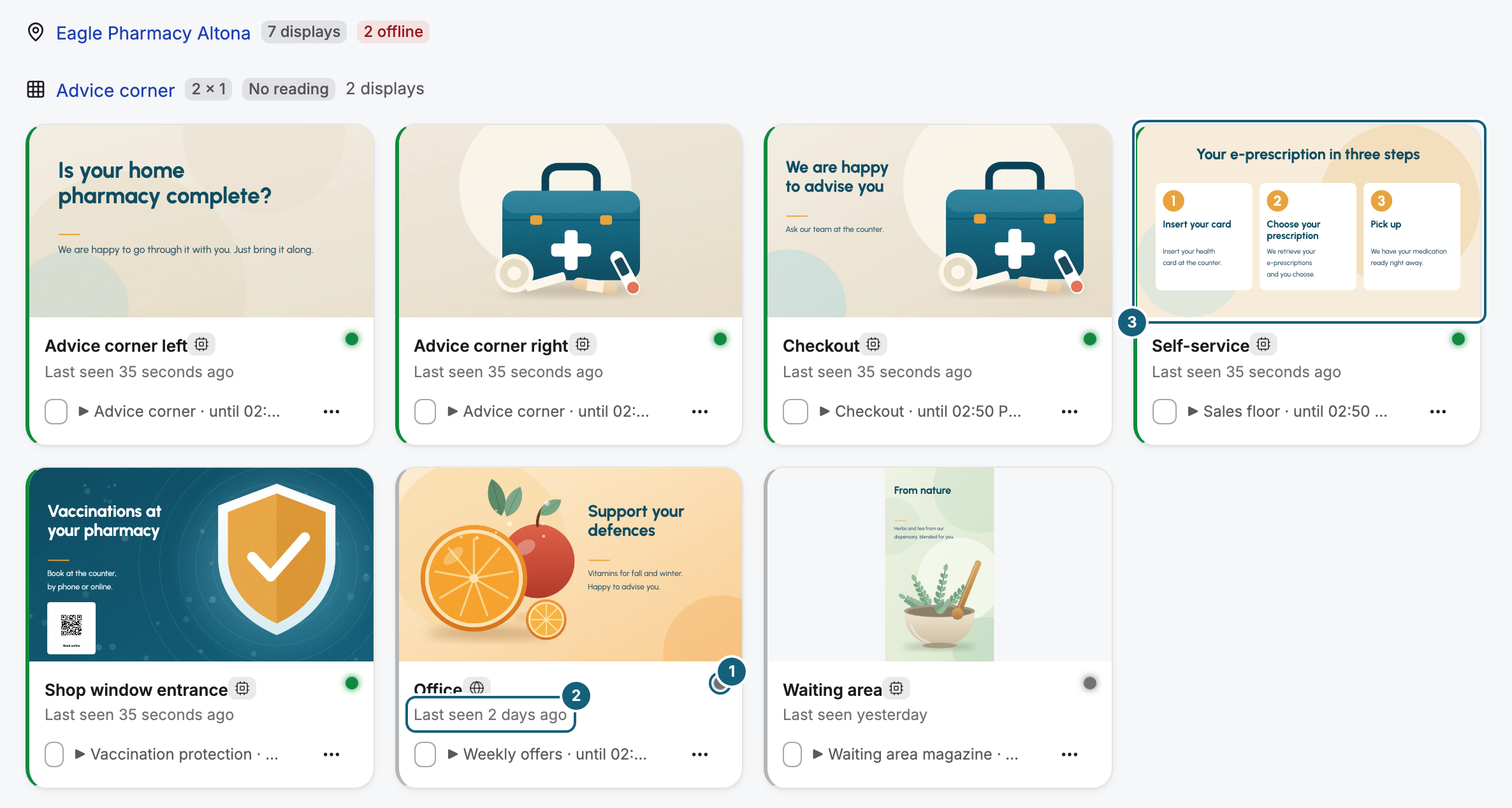
Every display reports in every 30 seconds. The status only says how long ago the last report arrived:
| Status | Last report | What it does not tell you |
|---|---|---|
| Online | less than 60 seconds ago | whether the right content is showing |
| Delayed | 60 seconds to 5 minutes ago | whether anything is visible at all |
| Offline | more than 5 minutes ago | whether the display is dark |
So a display marked Offline can be running perfectly well. Its tile keeps the last picture it sent, and Last seen … shows when that was.
When a notice appears on the display
If an outage lasts long enough for the stored content to be considered outdated, a small dark notice appears in the bottom-right corner after one more minute without a connection:
No connection — showing the last known content
The content keeps playing underneath. The notice is deliberately quiet: nothing is broken, the display just shows an older version. The display’s events in the portal record the same moment: The display is now showing older content — no connection and the cache has expired.

The notice appears only when the stored content is outdated and the network is still gone.
When the connection comes back
As soon as the network is back, the display fetches everything that changed in the meantime. You do not need to restart anything.
Playback data is not lost either. The device keeps counting while it is offline and sends its reports later, for up to three days. In Analytics, these hours are marked reported late.
What follows
- Short dropouts need no action. Delayed clears with the next report.
- Before you send someone on site, check Last seen …, or ask someone nearby whether the display shows content.
- Keep publishing as usual. Changes reach an offline display as soon as it is back online.
- If a display stays offline for hours, check the router, the cable, or the Wi-Fi on site.
- Reports for the hours right after an outage can be incomplete for up to three days.
Related
Was this helpful?