Manage programs
You want to rename or delete programs, or see where one runs.
- For
- anyone who looks after several programs
- Prerequisite
- the Owner or Manager role
- Where in the portal
- Programs
On this page
Under Programs you find, rename, and delete programs, and see on which displays each one runs. A program that still runs on a display can't be deleted.
Steps
Find a program
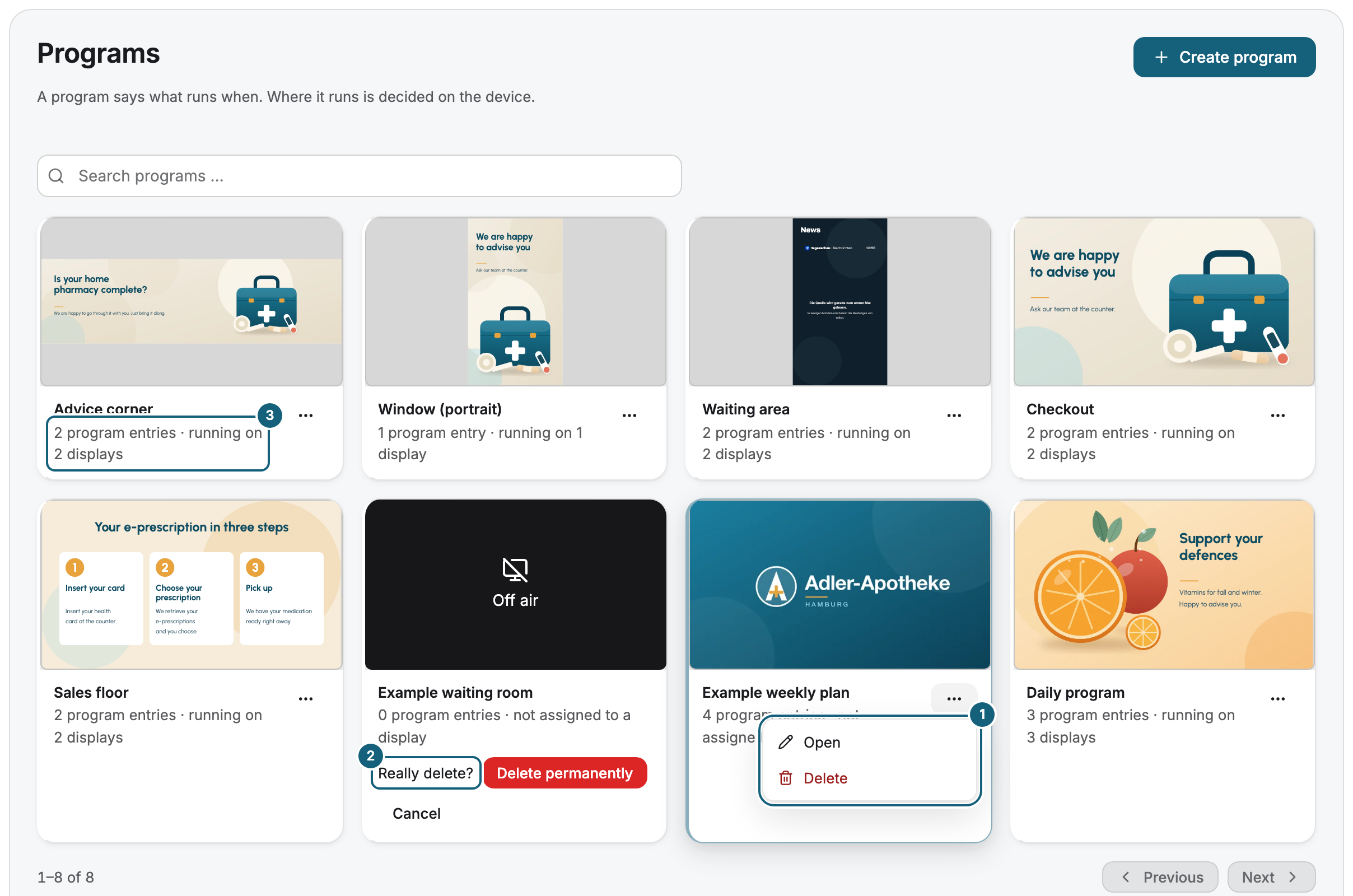
Open Programs. Each card shows a preview of the base program, the name, the number of program entries, and on how many displays the program runs, for example running on 3 displays. With many programs, type in Search programs ….
Rename a program
- Open the program.
- Click the name at the top and type the new one. It is saved when you leave the field, and the portal confirms with Saved.
See where a program runs
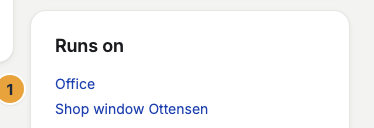
In the editor, the Runs on card lists every display that runs the program, whether assigned or as an override. Each entry links to the display. You change the assignment on the display, not in the program, see Assign a program to a display.
Delete a program
- Open the menu (⋯) on the card and choose Delete.
- Confirm Really delete? with Delete permanently. The portal confirms with Program deleted.
If the program still runs on a display, the portal refuses with This program still runs on at least one device. Assign something else to those devices first, then it can be deleted. The Runs on card shows which displays. If a display runs the program as an override, end the override there first.
Check the result
The card shows the new name, or the deleted program is gone. Who created, changed, or deleted a program, and when, is recorded in the change log.
If something goes wrong
| Symptom | Cause | Solution |
|---|---|---|
| This program still runs on at least one device. | A display still runs the program, assigned or as an override. | Assign something else to the displays in Runs on, or end the override, see Show something else now, such as an urgent notice. |
| Deletion failed | The deletion didn't go through. | Reload the page and try again. |
| Delete is grayed out | Your role doesn't allow deleting programs. | Ask someone with the Owner or Manager role. |
| Several programs are called New program | The portal names every new program this way. | Open each and give it a name. |
Related
Was this helpful?