Read the weekly plan
You want to know what the colors and blocks in the weekly plan mean.
- For
- anyone who wants to check what a program plays and when
- Prerequisite
- a program
- Where in the portal
- Programs › program › Weekly plan
On this page
The weekly plan shows one program for a whole week, each day from midnight to midnight. The pale area is the base program, each colored block a program entry, and the red line marks the present moment.
What you see
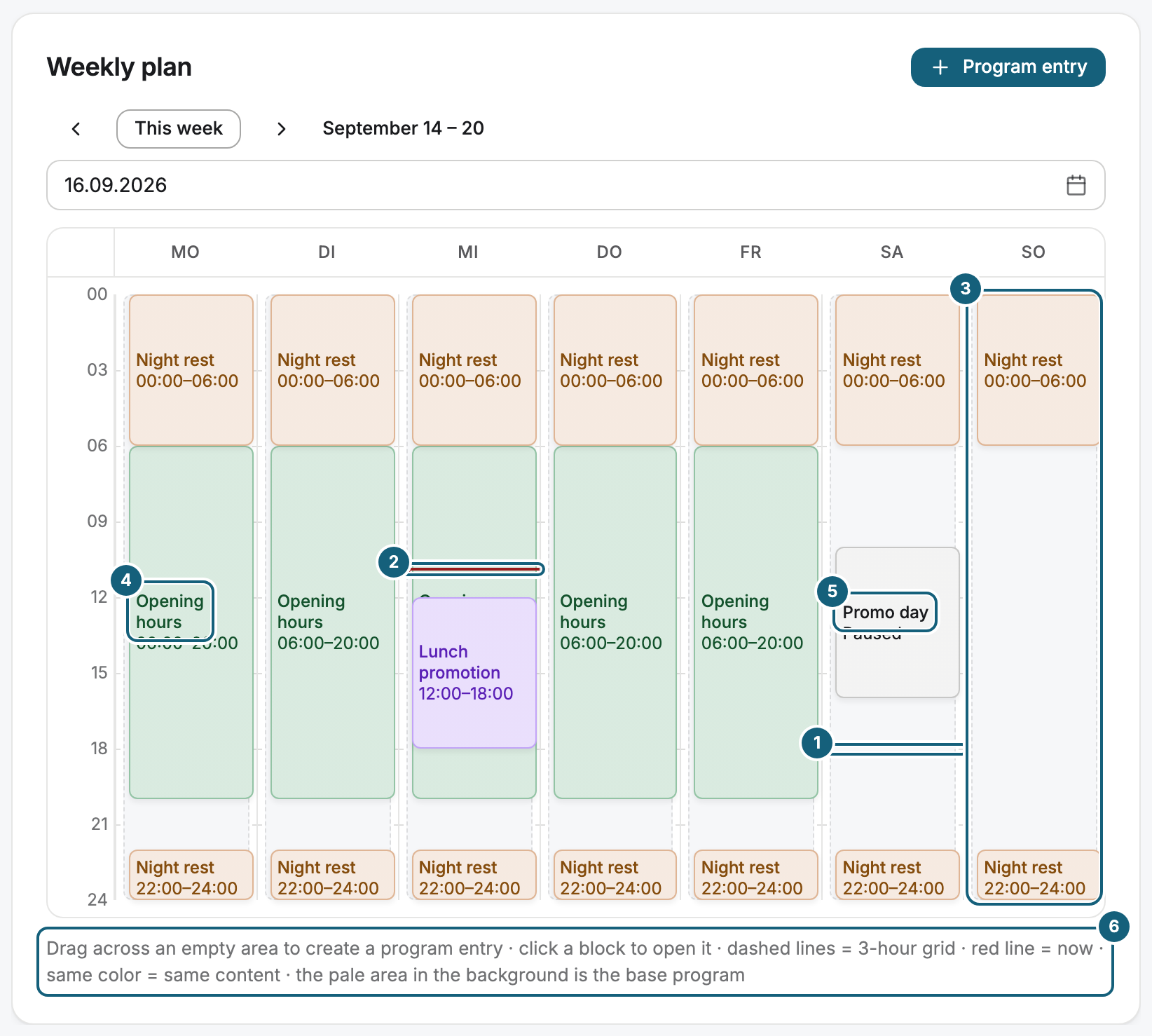
| Element | What it means |
|---|---|
| Dashed lines | A grid in steps of 3 hours |
| Red line | Now. You see it only in the current week. |
| Pale area behind each day | The base program. It runs wherever no block lies on top. |
| Colored block | A program entry. The same color means the same content. |
| Colorless block marked Paused | A paused entry. It doesn't run. |
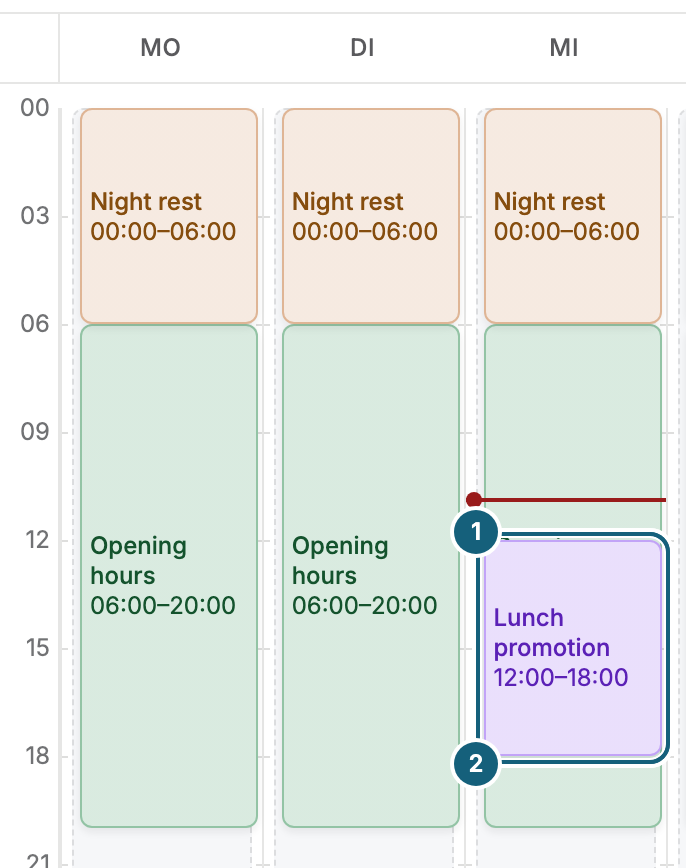
| Two blocks on top of each other | Overlapping entries. The one that wins lies on top. |
Overlapping entries
When two entries apply at the same time, the winner covers almost all of the other block, and only a narrow strip of the loser remains visible. A one-off entry beats a recurring one, and a shorter window beats a longer one. The full rules are in How does a display decide what to play?.
Moving through the weeks
| Control | What it does |
|---|---|
| Previous week and Next week | Move one week back or ahead |
| This week | Returns to the current week |
| Jump to date | Opens any week |
On a phone, the weekly plan shows one day at a time. Previous day, Next day, and Today move between days.
What you can do in the plan
| Action | Result |
|---|---|
| Drag across an empty area | Creates a program entry for that day and time |
| Click a block | Opens the program entry |
| Click the pale area | Nothing. You change the base program in its card. |
On now
The On now card next to the plan says what applies at this moment: the Base program or a Program entry, with its time window. around the clock means the content has no end time. Open entry jumps to the program entry.
What the weekly plan doesn't show
The plan shows the program, not a display. It doesn't know about overrides, and it doesn't show which displays run the program. The list of program entries also includes what lies outside the visible week, such as a one-off entry next month. To see what a particular display shows today, open its Program tab, see Check what a display is showing now and will show today.
Related
Was this helpful?