Player Lite
You want one display that runs all day without a keyboard or mouse.
- For
- anyone planning, installing, or replacing a Player Lite
- Prerequisite
- a TV or monitor with a free HDMI input and a power outlet nearby
- Where in the portal
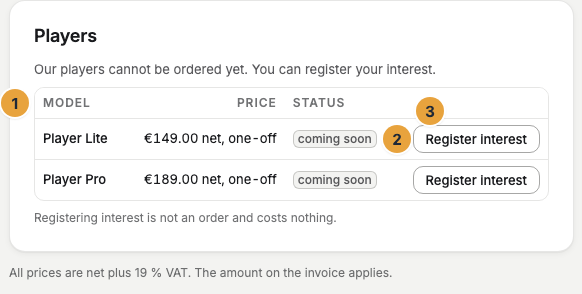
- Settings › Organization › Billing › Players
On this page
The Player Lite plays your content on one TV or monitor, all day and without a keyboard or mouse. It starts on its own, updates itself, and keeps playing from its storage when the network goes down.
In the box
- The player in an aluminum case, ready to use with SzeneraOS installed
- A USB-C power supply (27 W)
- A Micro-HDMI to HDMI cable
You also need a TV or monitor with a free HDMI input, and a network cable or your Wi-Fi password.
At a glance
| Feature | Player Lite |
|---|---|
| Displays | One TV or monitor |
| Video | Up to Full HD |
| Orientation | Landscape or portrait |
| Network | Network cable or Wi-Fi |
| Warranty | 12 months |
Technical data, disposal, and licenses has all the figures. For two displays or video in 4K, the Player Pro is the right model.
Type and serial number
A label on the underside names the type SZP-L1 and the serial number, such as 26-L1-0001. The same number is on the box and on the delivery note. Note it before you mount the player, because support asks for it.
If something goes wrong
| Symptom | Cause | Solution |
|---|---|---|
| The TV stays black | The cable, the input on the TV, or the power isn't right yet. | Follow Unpack and connect step by step. |
| Six empty boxes instead of a code | The player has no internet yet. | Check the network cable or the Wi-Fi, see Connect to the network. |
| The portal reports Power supply throttling | The power supply is too weak or the cable too long. | Use the power supply that came with the player, without an extension cable. |
| The player is broken | A hardware fault. | Contact support. Your content, schedules, and settings are stored in Szenera, so a replacement player is paired in a minute and shows the same content again. |
Related
Was this helpful?